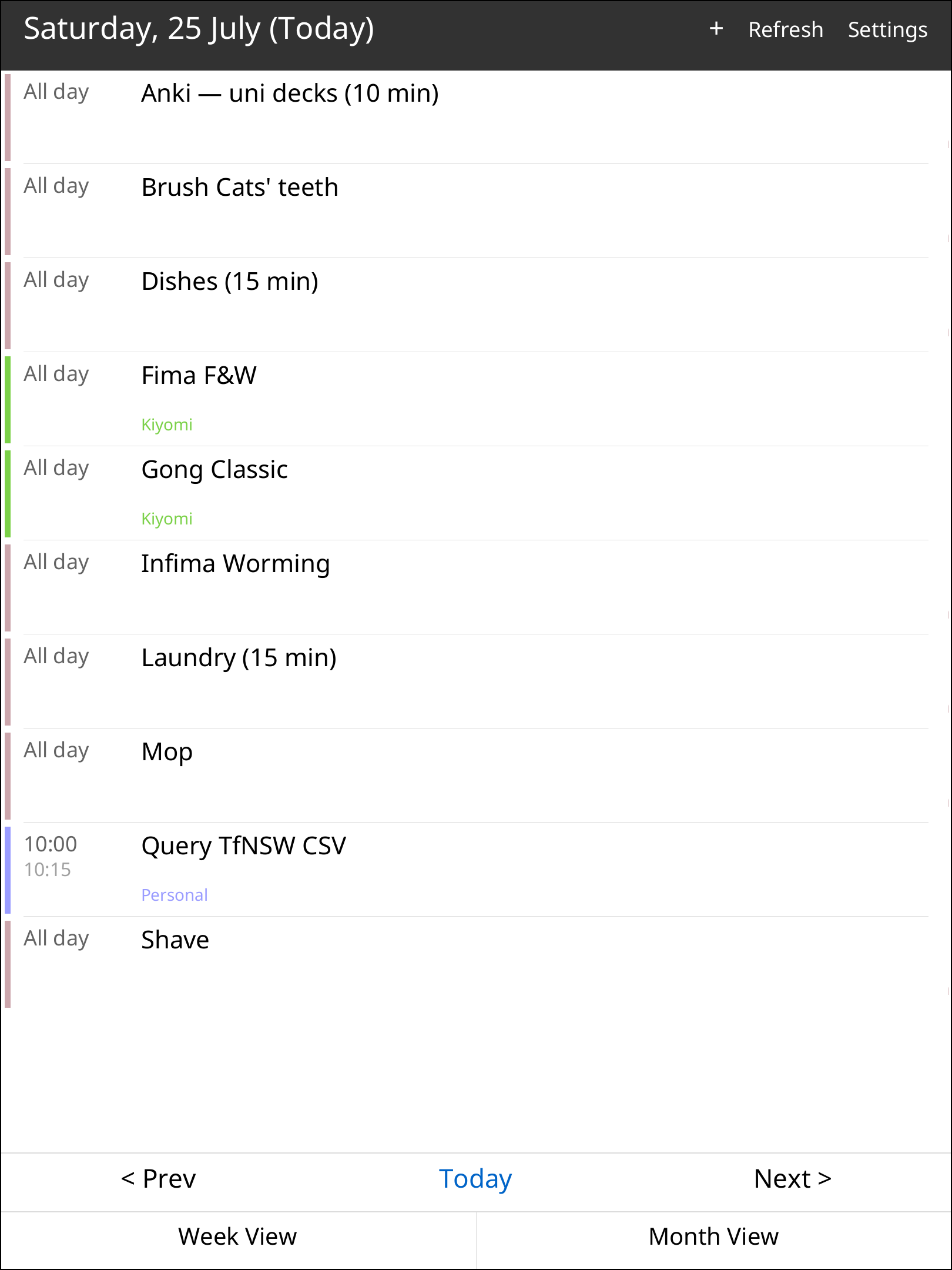
What it is
Your actual calendar, on your paper tablet. reGenda syncs real calendars over CalDAV — Google Calendar (OAuth 2.0), iCloud, Fastmail, Nextcloud or any standard CalDAV server, plus read-only ICS subscriptions — and shows them in month, week and day views on the reMarkable Paper Pro. Create and edit events, colour-code calendars, and keep browsing offline from a local cache.
Features
- Real CalDAV sync — Google (OAuth paste-the-code flow — create a Desktop app OAuth client, the MANUAL walks you through it), iCloud/Fastmail/Nextcloud, or self-hosted; plus read-only ICS subscription URLs.
- Month / week / day views with an on-screen keyboard for editing.
- Create & edit events — including recurring events (RRULE expanded on-device where the server doesn't).
- Per-calendar colours and friendly display-name aliases.
- Offline cache — last-synced state with a stale banner when you're offline.
- Your accounts stay yours — no embedded keys; credentials live only in your on-device config.
Licence & provenance
reGenda is the author's own original application — a from-scratch CalDAV client, iCalendar parser and RRULE engine wired to a custom QTFB display/touch layer for the rMPP. It ships as a proprietary app (personal-use licence in the zip). It links only permissive open-source Rust crates (reqwest/rustls, quick-xml, ical, rrule, chrono — all MIT/Apache/ISC) and bundles the Noto font (OFL); every notice is in the zip.
You're paying for the app, packaging and testing
The price buys the application itself, its rMPP display/input adaptation, the annotated setup template, and the on-device testing — not any third-party work.
Runs as a standalone app (this is the safe kind)
An AppLoad app: a separate program launched from the AppLoad menu. It does not inject into xochitl, patches no system QML, and carries no crash-loop or boot-bank risk. Uninstalling is deleting one folder.
Install & setup
Requires xovi + rm-appload on-device (free; links in the README) and a CalDAV
account. Copy the regenda/ folder into /home/root/xovi/exthome/appload/, drop
the included config.yml.example at /home/root/.config/reGenda/config.yml and
fill in your calendar source(s) — the template walks through Google OAuth and
generic CalDAV. Open AppLoad and launch reGenda. No xochitl restart, no system
files touched. Full steps in the README.
Caveats
- Tested on firmware 3.26.0.68; e-ink/QTFB behaviour can shift across firmware, so updates are best-effort after reMarkable releases.
- Needs a network connection to sync; offline shows the last-synced state with a stale banner.
- Google Calendar requires you to create your own OAuth client (free) in the Google Cloud Console — the README explains how.
- Independent product — not affiliated with or endorsed by reMarkable AS, Google or Apple.