What it is
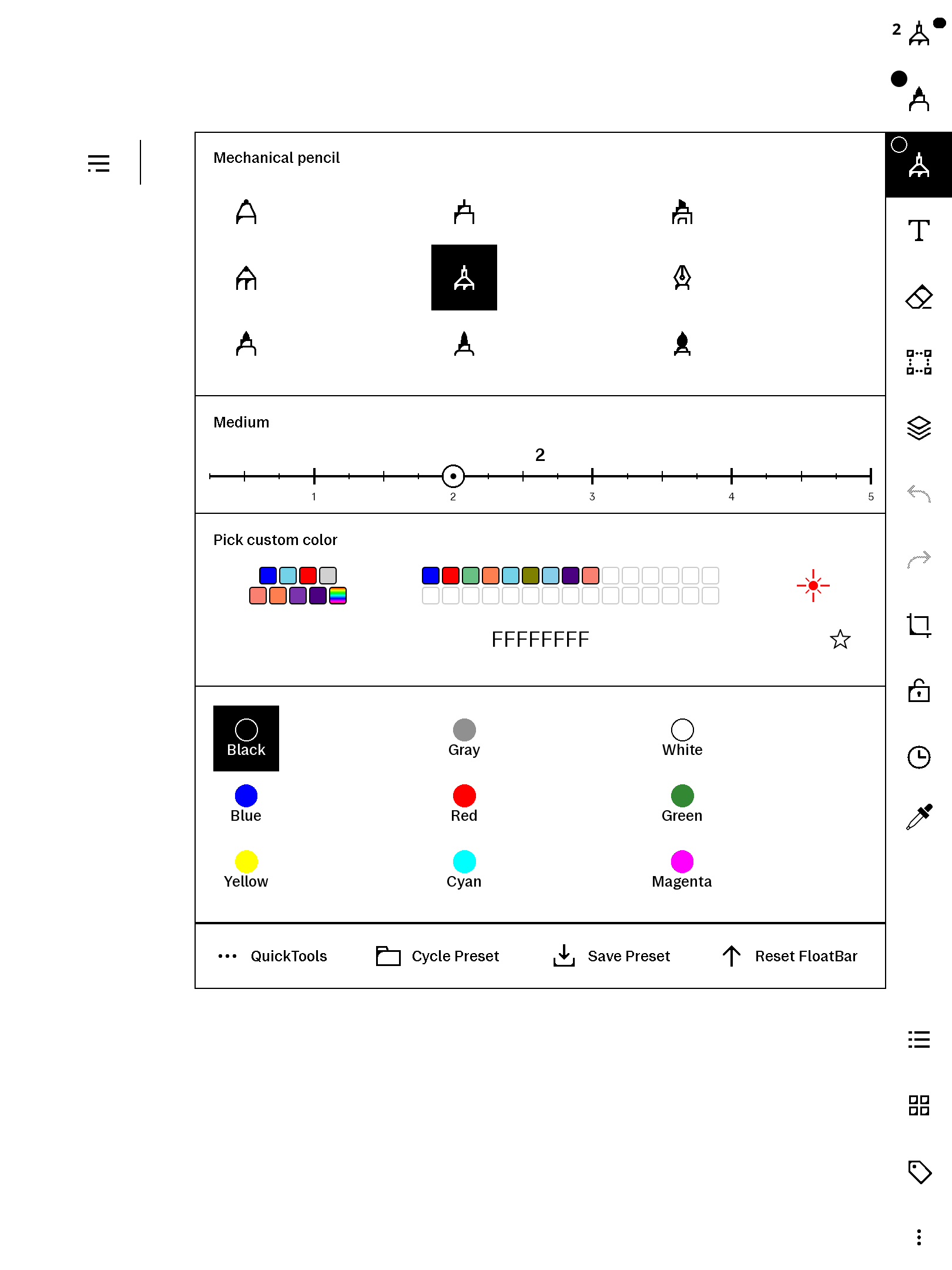
The Paper Pro's pen foldout gives you three fixed widths: thin, medium, thick. penWidths replaces that with a slider you can drag or tap anywhere from 0.25 to 5, with a magnetic snap ladder so the common widths still land exactly:
- Integers (1–5) are the primary snaps (widest magnet).
- Halves (1.5, 2.5, …) are secondary snaps.
- Quarters (1.25, 1.75, …) are the fine lattice.
Tick marks encode the ladder (tall = integer with numeral, medium = half, short = quarter), a bold readout shows the live value, and the handle's inner dot previews the actual stroke width. Tap the readout to type an exact value from the keyboard. The same slider replaces the eraser width picker too, and it works in both foldout orientations.
Pairs with freeColour
penWidths lives in the width part of the pen foldout; our freeColour product adds a custom-colour picker to the colour part of the same foldout. They are two separate products that are built to coexist — the pen-panel screenshot shows what the foldout looks like with both installed. Buy either on its own, or both for a fully upgraded pen panel.
Requirements
- reMarkable Paper Pro, firmware 3.26.0.68. Built for firmware 3.26.0.68 exactly.
- xovi + the qt-resource-rebuilder extension (free; links in the README).
- No other paid item required.
Install
Copy one file to the device, restart xochitl the xovi-safe way (exact commands in the README), and the slider replaces the width buttons. Uninstall = delete the file, restart. No system files are modified on disk.
Honest caveats
- This product modifies the on-device user interface at runtime. It contains no reMarkable software; changes are applied to files already present on your device and are fully removed by uninstalling.
- Every QML id it injects is namespaced (
pws*/ews*) so it won't collide with other installed qmd tweaks. The README includes the one-line SSH recovery should any qmd on your device ever misbehave: delete the file, restart. - After uninstalling, any width outside the stock set reverts to a stock value the next time you switch pens — nothing persistent is left behind.
- qmldiff patches are firmware-sensitive; tested on 3.26.0.68, updates best-effort after firmware releases.