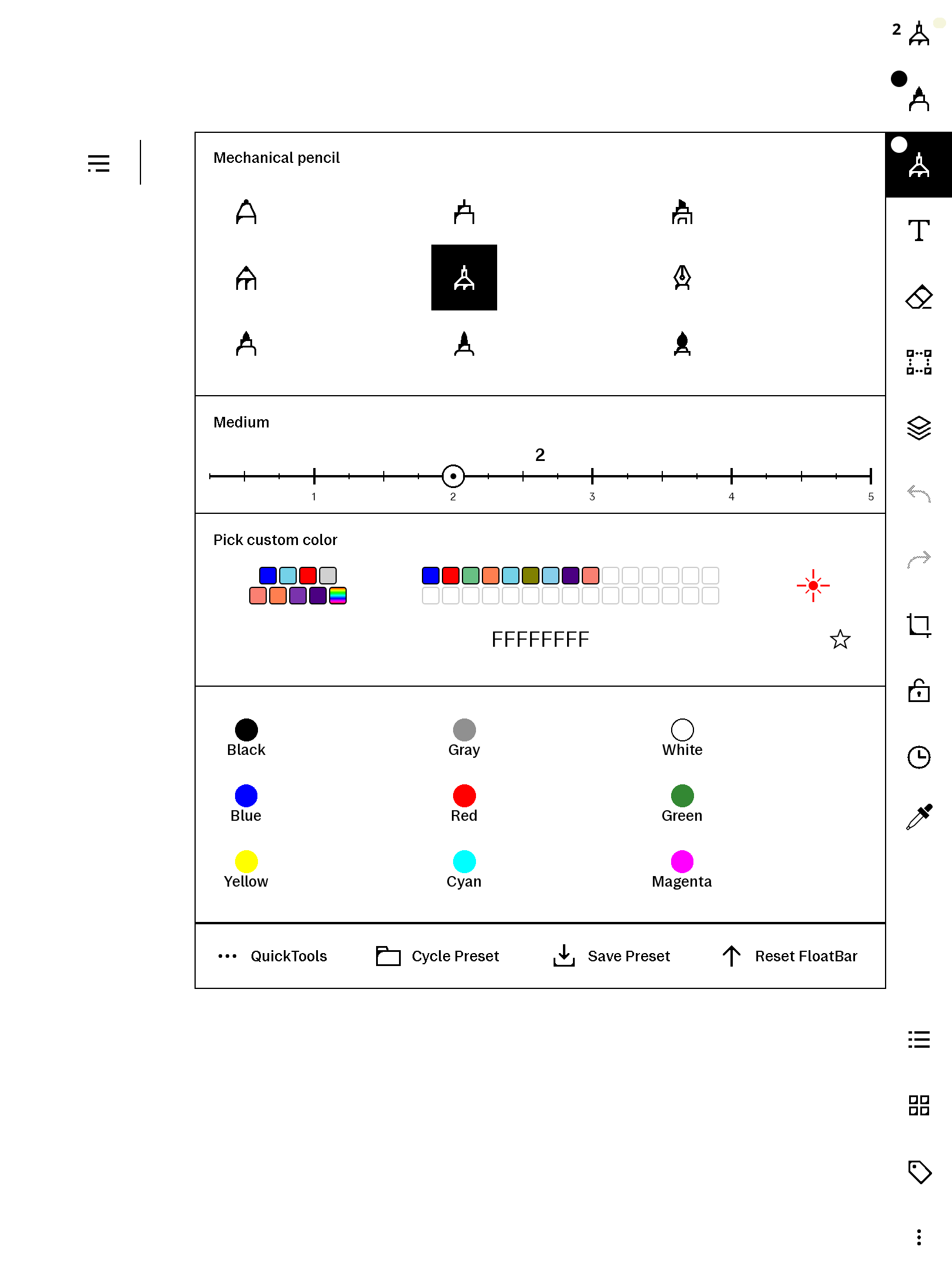
What it is
A laser pointer for your paper tablet. Enter laser mode and your strokes appear in bright red, then vanish on their own about 1.5 seconds after you lift the pen — like a presentation laser, adapted to e-ink. There is no fade (the panel can't do it), so strokes "snap" away instead. Perfect for pointing at something on a page while presenting or teaching, without leaving permanent marks.
Features
- Laser button in the pen's colour row (a red laser-dot glyph) — tap to enter laser mode.
- Snap-erase — each laser stroke shows briefly, then is removed ~1.5s after pen-up; up to 20 strokes queue and drain one every 1.5s.
- Exit by picking any other tool or colour.
- No accidental shapes — shape-snap is suppressed while lasering, so quick pointer scribbles stay scribbles.
- Self-contained + private — a plaintext qmldiff patch, no network, no telemetry. Keeps no state file of its own; uninstall is a single delete.
- Co-tenant safe — every QML id it injects is namespaced (
lsr*) so it won't collide with other installed qmd tweaks.
Requires freeColour
laserPen's button mounts into the colour row that our freeColour product builds, so freeColour must be installed for the laser button to appear. freeColour is sold separately on this store (it also gives you a full custom colour wheel, recents, and favourites). Install freeColour first, then laserPen; they load in the right order automatically. This build targets freeColour's current namespaced release.
Requirements
- reMarkable Paper Pro, firmware 3.26.0.68. Built for firmware 3.26.0.68 exactly — qmldiff patches key off the firmware's QML, so other versions are untested.
- xovi + the qt-resource-rebuilder extension (free; links in the README).
- freeColour (sold separately on this store) — required, see above.
Install
Install freeColour first. Then copy one file to the device, restart xochitl the xovi-safe way (exact commands in the README), and the red laser dot appears in the pen's colour row. Uninstall = delete the file, restart. No system files are modified on disk.
Honest caveats
- This product modifies the on-device user interface at runtime. It contains no reMarkable software; changes are applied to files already present on your device and are fully removed by uninstalling.
- How the erase works. e-ink cannot fade, so laser strokes are removed by replaying xochitl's own single-step undo, one step per 1.5s tick. If you do another undoable action (draw a normal stroke, switch tools) between drawing a laser stroke and its auto-erase, a queued erase can act on the wrong step. Laser mode is designed for continuous pointing, where this does not arise.
- The laser is a red highlighter alias distinguished by an exact sentinel colour — there is no native "laser" pen type on the device.
- Requires the freeColour companion patch (see above); without it the laser button will not appear.
- This patches the system UI via qmldiff — unlike our AppLoad apps. The README includes the one-line SSH recovery should any qmd ever misbehave: delete the file, restart. Nothing persistent is touched.
- qmldiff patches are firmware-sensitive; tested on 3.26.0.68, updates best-effort after firmware releases.