What it is
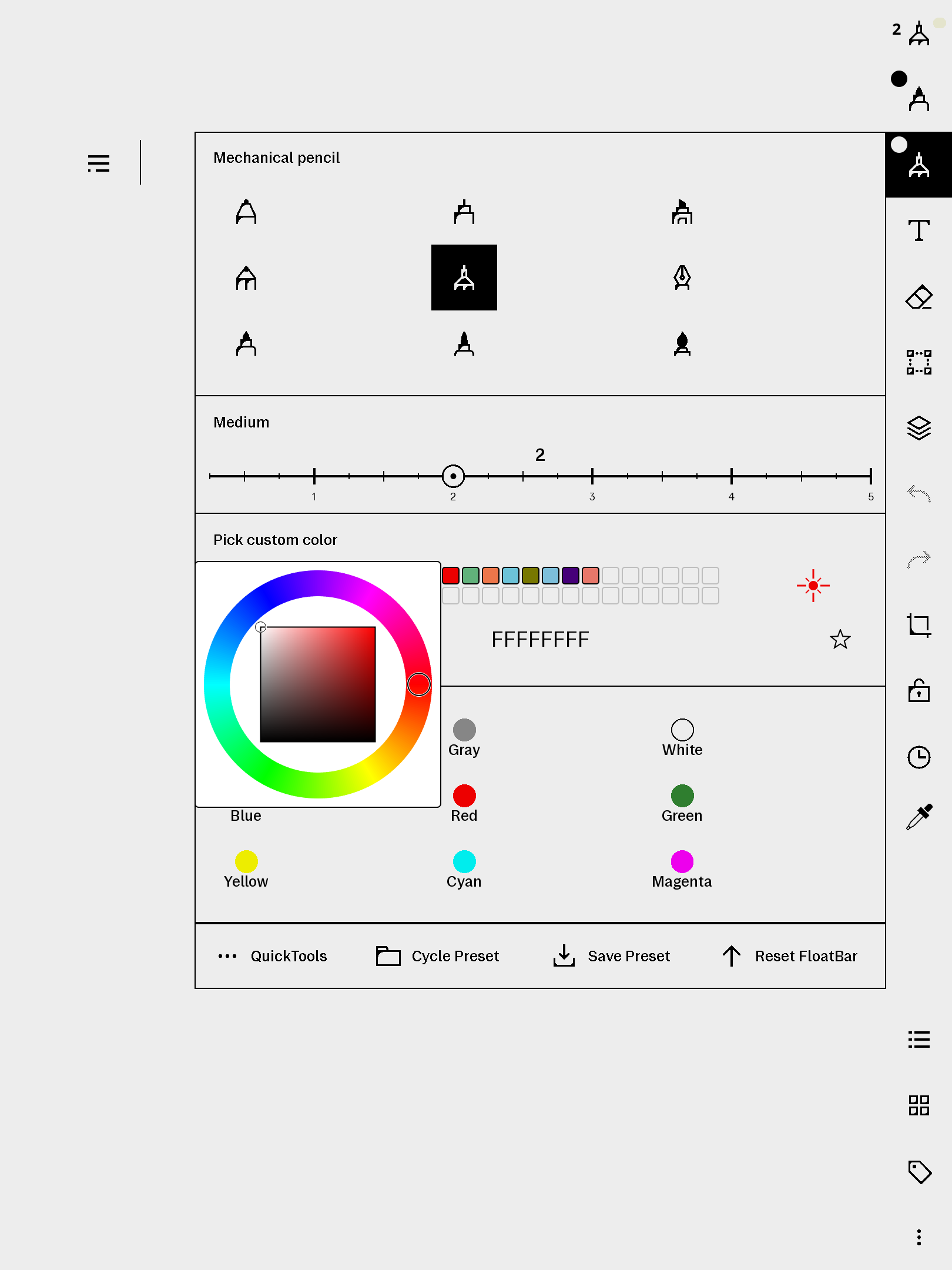
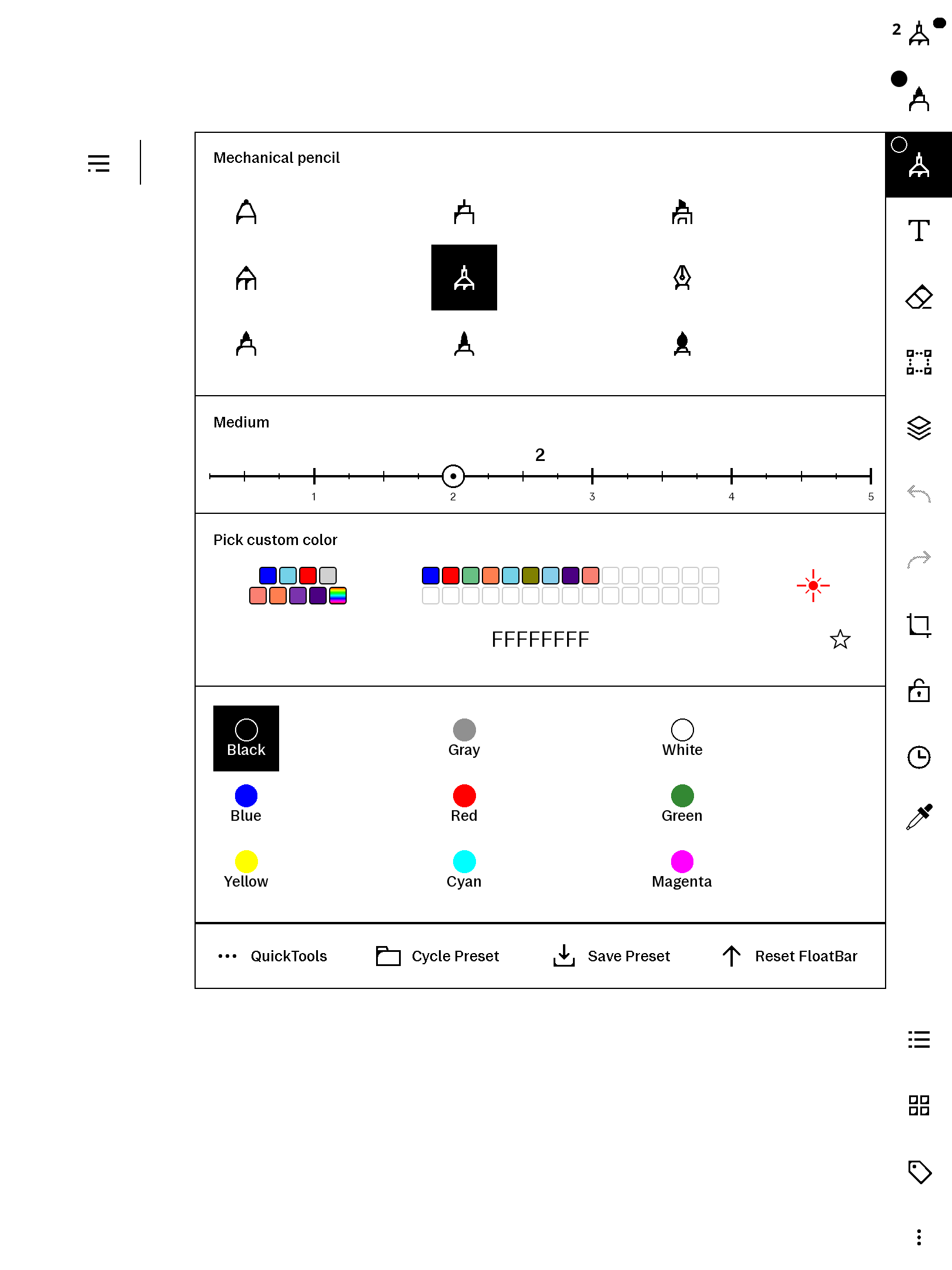
The Paper Pro's pen colour menu is a fixed set of swatches. freeColour adds a "Pick custom color" section to it so you can use any colour you like:
- HSV colour wheel — tap the rainbow swatch, drag the hue ring, drag the inner square for saturation and value, release to commit.
- Recents — your 8 most recent picks, always one tap away.
- Favourites — a 15×2 hand-curated grid: tap the ★ to add the current colour (name it if you like), press-and-hold to view or remove. Survives documents and restarts.
- Hex
AARRGGBB— type an eight-digit colour directly.
Colours are recorded on xochitl's ARGB colour channel, so highlighter and shader strokes render your exact pick.
Pairs with penWidths
freeColour lives in the colour part of the pen foldout; our penWidths product replaces the width buttons in the same foldout with a slider. They are two separate products, built to coexist — the pen-panel screenshot shows the foldout with both installed. Buy either alone, or both for a fully upgraded pen panel.
Requirements
- reMarkable Paper Pro, firmware 3.26.0.68. Built for firmware 3.26.0.68 exactly.
- xovi + the qt-resource-rebuilder extension (free; links in the README).
- No other paid item required.
Install
Copy two small files to the device (the picker plus a required companion patch), restart xochitl the xovi-safe way (exact commands in the README), and "Pick custom color" appears in the colour menu. Uninstall = delete the files (and, if you like, the two preference files it created), restart. No system files are modified on disk.
Honest caveats
- This product modifies the on-device user interface at runtime. It contains no reMarkable software; changes are applied to files already present on your device and are fully removed by uninstalling.
- Every QML id it injects is namespaced (
fcl*) so it won't collide with other installed qmd tweaks. The README includes the one-line SSH recovery should any qmd on your device ever misbehave: delete the file, restart. - Open-source components. The colour picker is a derivative of ingatellent's
xovi-qmd-extensions (MIT), and the small
changeGreenColor.qmdcompanion is redistributed from it unmodified. Full licence text and attribution ship inTHIRD-PARTY-LICENSES.mdinside the zip. The runtime (qmldiff / qt-resource-rebuilder, by asivery) is installed separately on-device. - Your picks are stored in two plain JSON files under
/home/root/(.freeColour-recent.json,.freeColour-favourites.json) — nothing leaves the device. - qmldiff patches are firmware-sensitive; tested on 3.26.0.68, updates best-effort after firmware releases.