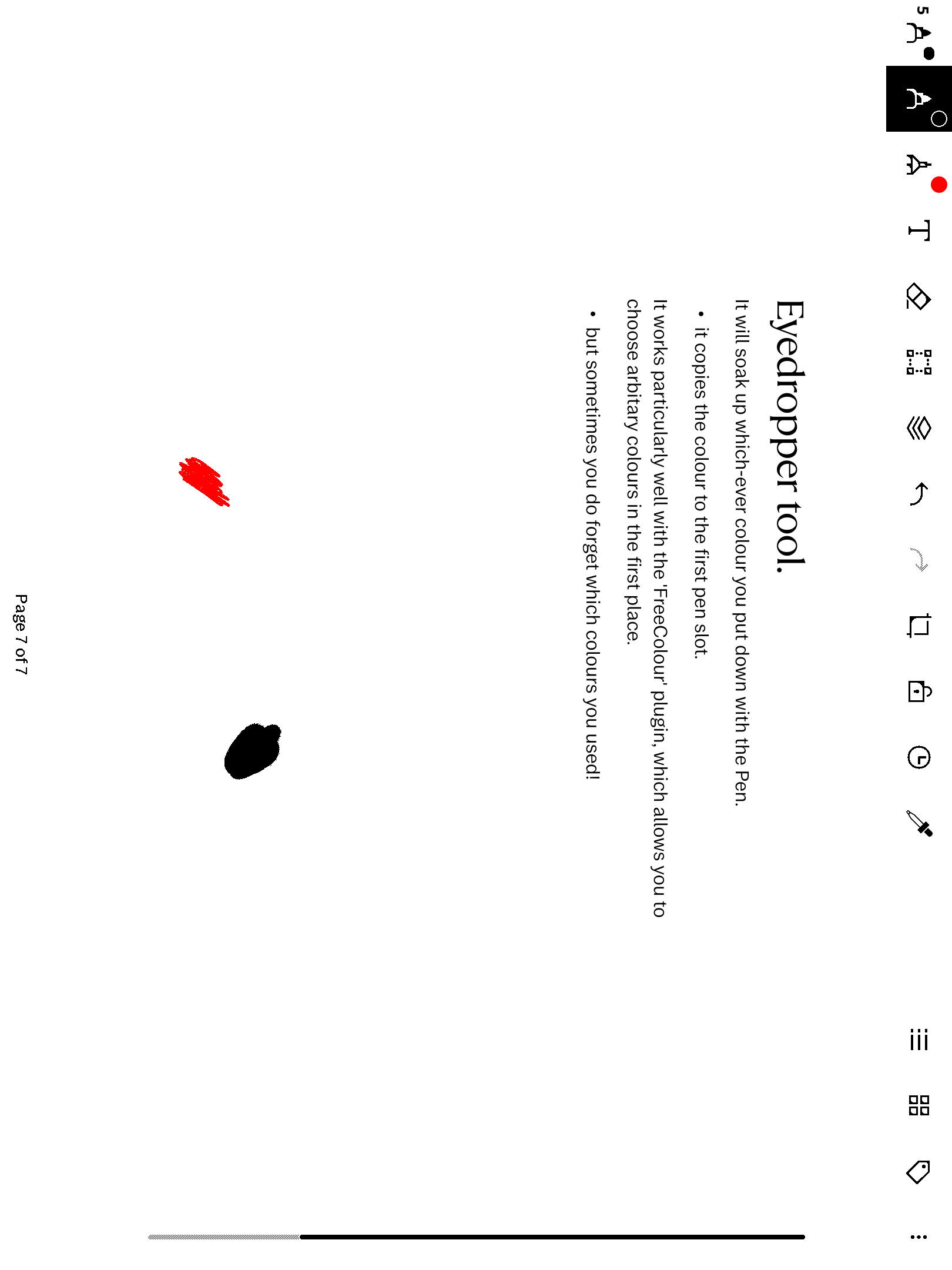
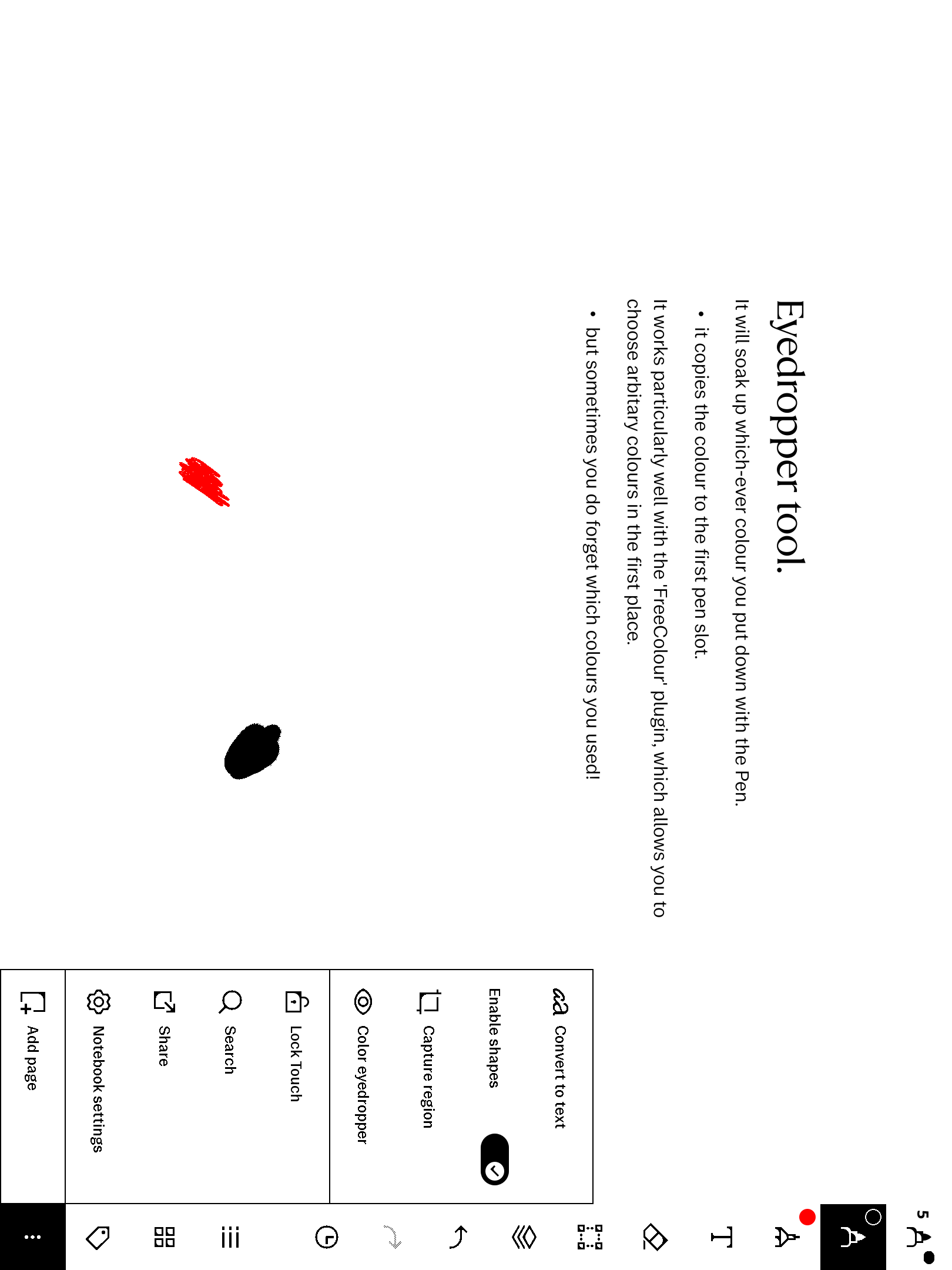
What it is
The Paper Pro has a fixed pen-colour menu but no way to match a colour you've already drawn. eyeDropper adds one. Tap the new eyedropper button on the pen toolbar to enter pick mode, then tap any stroke on the page — your pen's colour instantly becomes that stroke's exact ARGB. No hex codes, no guessing: point at the colour you want.
- Tap to arm, tap a stroke to pick — the button tints while pick mode is on, and disarms after a pick. The pick colours the pen you're holding — it never switches pen slots, and your pen's width and settings stay untouched.
- Edge-tap friendly — the picker samples extra rings of points around your tap, so tapping the very edge of a stroke still finds its ink.
- Portrait and landscape — including with a Type Folio attached. The sample point is mapped through the live scene transform, so it lands on the right stroke in every orientation.
- Feeds your recents — if you have our freeColour picker installed, each pick also drops into its recent custom-colour row for one-tap reuse.
What ships
A single xovi extension, tap-pick.so, that installs to
/home/root/xovi/extensions.d/. The toolbar button, its custom icon and the QML
patch are all bundled inside the .so — there is no separate .qmd to
install, and you should never drop a standalone copy into qt-resource-rebuilder.
Just the one file.
Requirements
- reMarkable Paper Pro, firmware 3.26.0.68. Built for firmware 3.26.0.68 exactly.
- xovi with two free extensions installed: qt-resource-rebuilder (applies the bundled patch) and framebuffer-spy (reads the on-screen pixel). eyeDropper declares hard dependencies on both and won't load without them — links in the README.
- freeColour — optional. Picking always sets your pen; with freeColour installed the pick also lands in its recent custom-colour slots.
- No other paid item required.
Install
Push the extension to the device and move it into extensions.d/, then restart
xochitl the xovi-safe way (exact commands in the README). One important rule the
README repeats loudly: never leave a backup copy of any .so inside
extensions.d/ — xovi loads every file there, and a second copy registers the
extension twice and crash-loops xochitl. Keep old binaries outside that folder.
Uninstall = delete tap-pick.so, restart. eyeDropper writes no state file of its
own, so removal is complete. No system files are modified on disk.
How this product changes your device
This product modifies the on-device user interface at runtime through xovi
and qmldiff. It contains no reMarkable software; the bundled patch is INSERT-only
(the author's own QML) applied to files already present on your device, and is
fully removed by deleting tap-pick.so and restarting.
Licensing
tap-pick.so is the author's own code and ships no reMarkable source; the
embedded icon is the author's own PNG. The binary links only shared libraries
already resident on the device — Qt 6 (libQt6Core/libQt6Qml, LGPLv3),
libstdc++/libgcc_s (GCC runtime exception) and glibc — all dynamically
linked, so no third-party copyleft is imposed on the binary. To identify a
tapped stroke's colour it reads a couple of reMarkable in-memory scene struct
layouts; those are interop facts reverse-engineered for compatibility, drawing on
a reference released into the public domain (Unlicense).
Honest caveats
- Requires the framebuffer-spy and qt-resource-rebuilder xovi extensions — it will not load without them.
- Picks the colour of an existing stroke; it's not a whole-screen pixel dropper over PDF or image content.
- xovi/qmldiff extensions are firmware-sensitive; built and run on 3.26.0.68, re-install after a firmware update. Future-firmware support is best-effort.