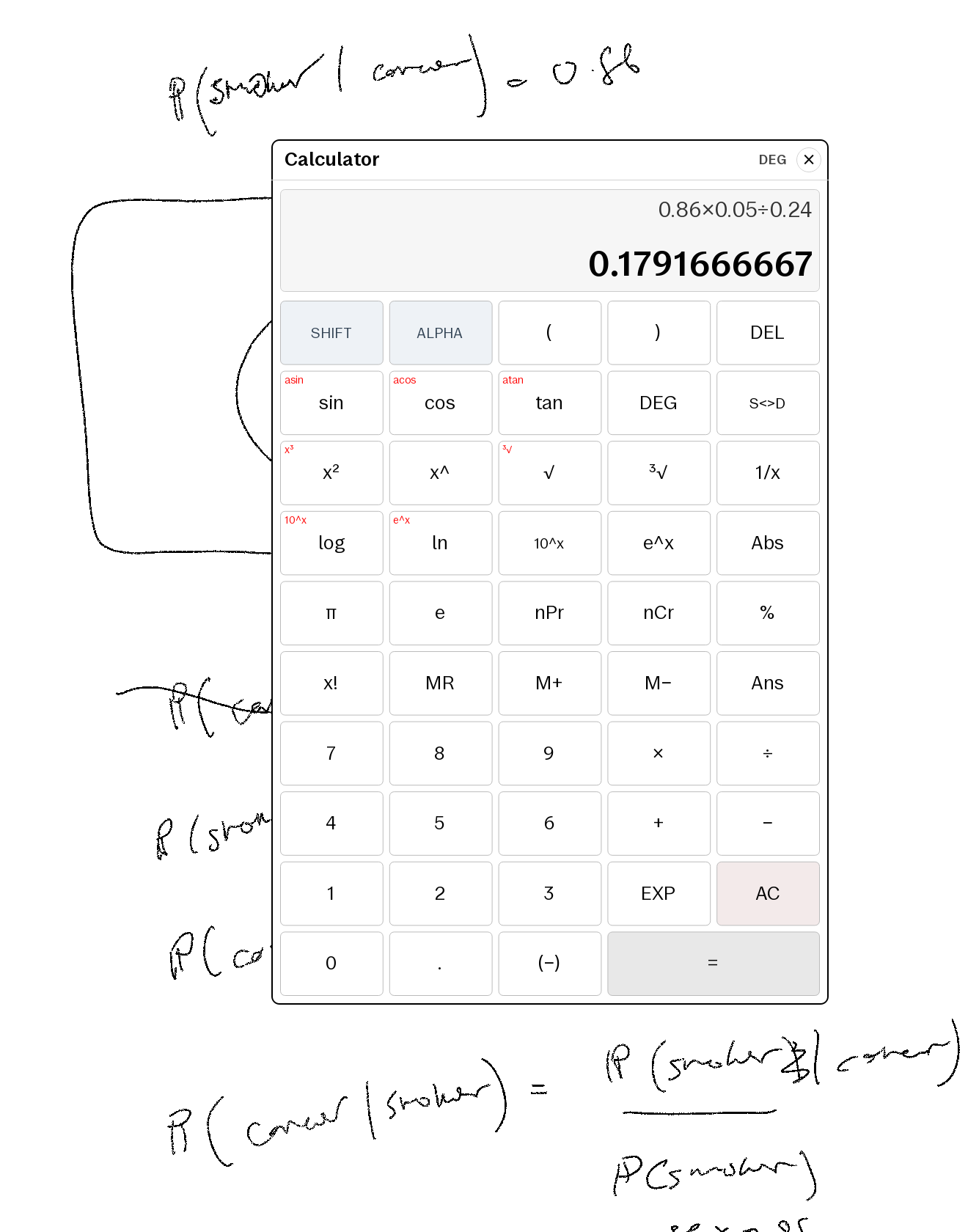
What it is
The calculator your paper tablet is missing. A Quick Settings tile opens a
floating scientific calculator over whatever you're working on — a notebook
page, a PDF, a textbook. Work the problem by hand, tap the tile, compute, tap
× and keep writing. The screenshot is exactly that: a Bayes' theorem exercise
worked in ink, with 0.86 × 0.05 ÷ 0.24 evaluated in place.
Features
- One tap from anywhere — QS tile opens/closes the overlay on any screen, documents included.
- Proper scientific set — trig + inverses (SHIFT),
log/ln/10ˣ/eˣ, powers and roots (x²,x³,x^,√,³√,x⁻¹),Abs, factorials,nPr/nCr,%,π/e. - Casio habits respected — two-line display (expression above, result
below), implicit multiply, trailing close-parens optional,
Ans, independent memory (M+/M−/MR),DEG/RAD, andS⇔Ddecimal↔fraction. - Self-contained + private — a pure QML/JS evaluator (no
eval()), no network, no telemetry, nothing leaves the device. The shipped patch is plaintext — you can read every line before installing. - Co-tenant safe — every QML id is namespaced so it won't collide with other installed qmd tweaks.
Requirements
- reMarkable Paper Pro, firmware 3.26.0.68.
- xovi + the qt-resource-rebuilder extension (free; links in the README).
- No other paid item required.
Install
Copy one file to the device, restart xochitl the xovi-safe way (exact commands in the README), and the tile appears in Quick Settings. Uninstall = delete the file, restart. No system files are modified on disk.
How it changes your device
This product modifies the on-device user interface at runtime. It contains no reMarkable software; changes are applied to files already present on your device and are fully removed by uninstalling.
Honest caveats
- This one patches the system UI via qmldiff (that's what makes a QS tile possible) — unlike our AppLoad apps. The README includes the one-line SSH recovery should any qmd on your device ever misbehave: delete the file, restart. Nothing persistent is touched.
- qmldiff patches are firmware-sensitive; tested on 3.26.0.68, updates best-effort after firmware releases.